Figma design audit plugin, 18 checks in seconds.
Design mistakes are cheap to fix in Figma and expensive once they are built. HewnFrame scores a frame against 18 deterministic checks and shows you exactly what to fix, so you hand off work you know is right instead of finding out in code review or from a client. No AI, nothing leaves your machine.
From an empty frame to a score you can act on.
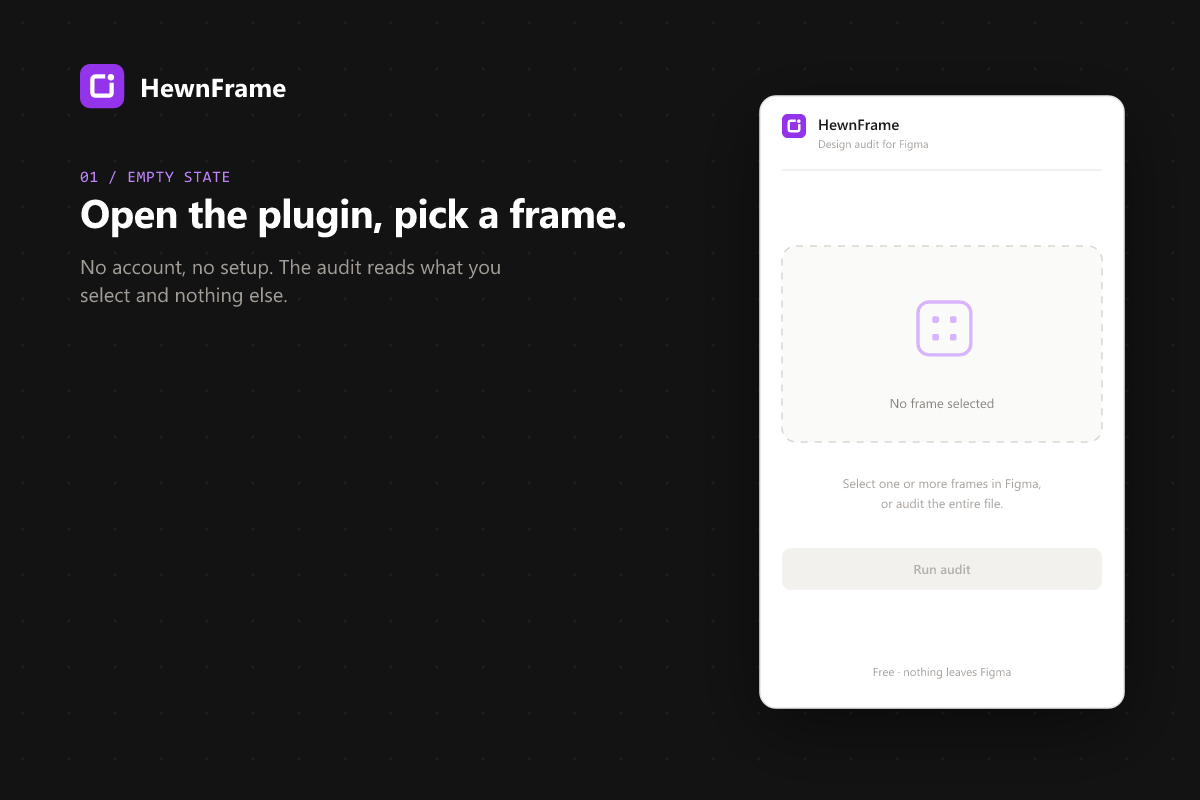
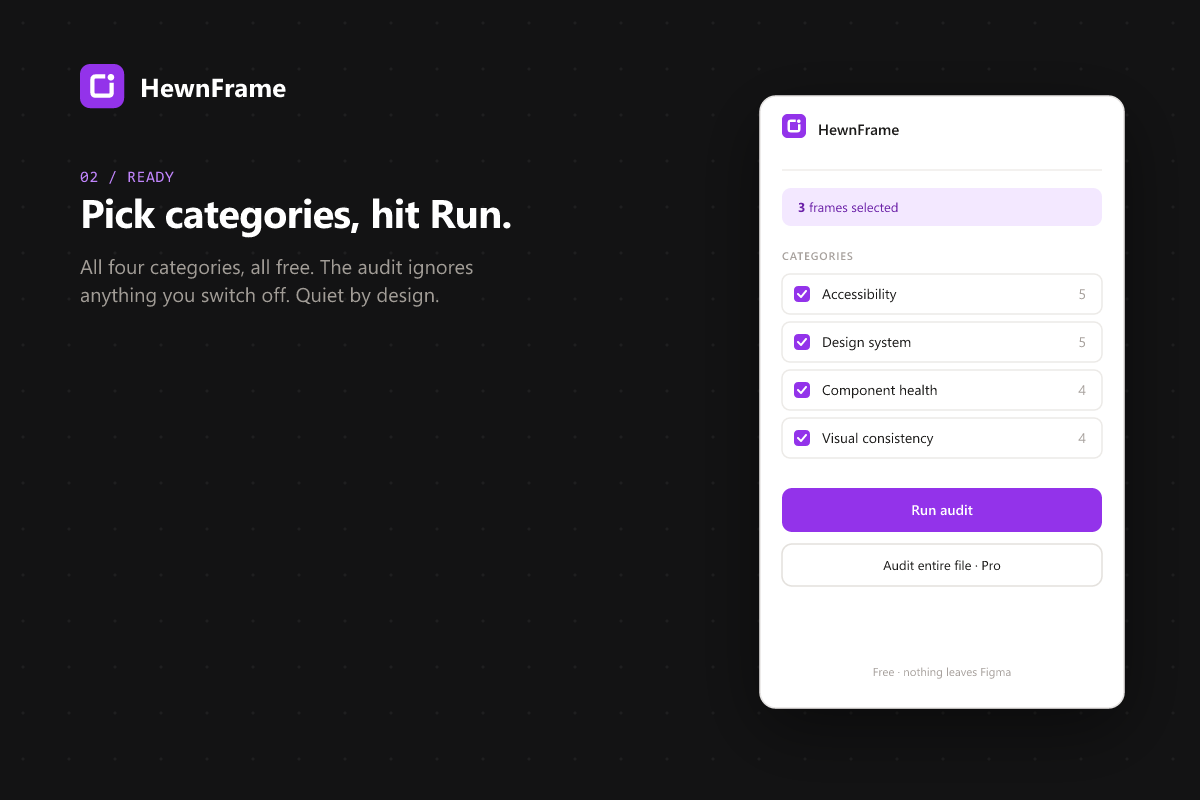
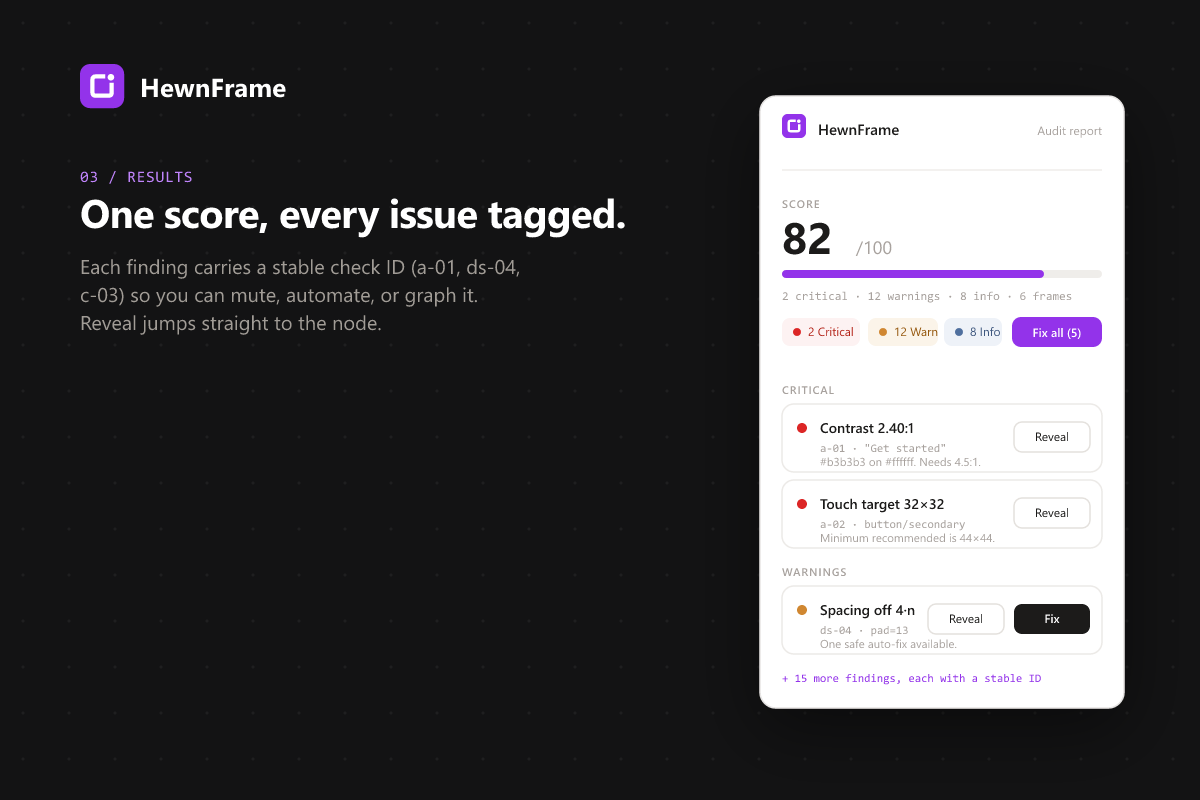
Open the plugin, pick your categories, read the score. Every finding carries a stable check ID, and nothing ever leaves Figma.
What it checks
Accessibility · 5
WCAG 2.2 contrast vs. effective background (sRGB to luminance with alpha blending), touch-target size (44×44), image alt text, heading order, form labels.
Design system · 5
Hardcoded fills and strokes, unbound text styles, spacing off the 4·n scale, dead classes. Variables-aware: it knows when a value is bound vs. raw.
Component health · 4
Missing variant states (hover, pressed, disabled, focus), detached instances, broken master references, override drift.
Visual consistency · 4
Structural duplicates, spacing divergence frame-to-frame, unused styles, page-naming consistency.
Pricing
All 18 checks are free. Pro unlocks the workflow features that make daily use practical for serious designers.
- All 18 checks, every category
- Single-frame audit
- Score + issue list + Reveal
- Auto-fix preview
- Unlimited audits per day
- No account, no data sent
- Everything in Free, plus:
- Multi-frame batch audit (select many, score all)
- Markdown export: paste into Notion, Linear, Slack
- WCAG-mapped PDF report with EN 301 549 references
- Audit history (last 30 audits per file)
- One-click auto-fix apply
- Site-wide audit across all pages
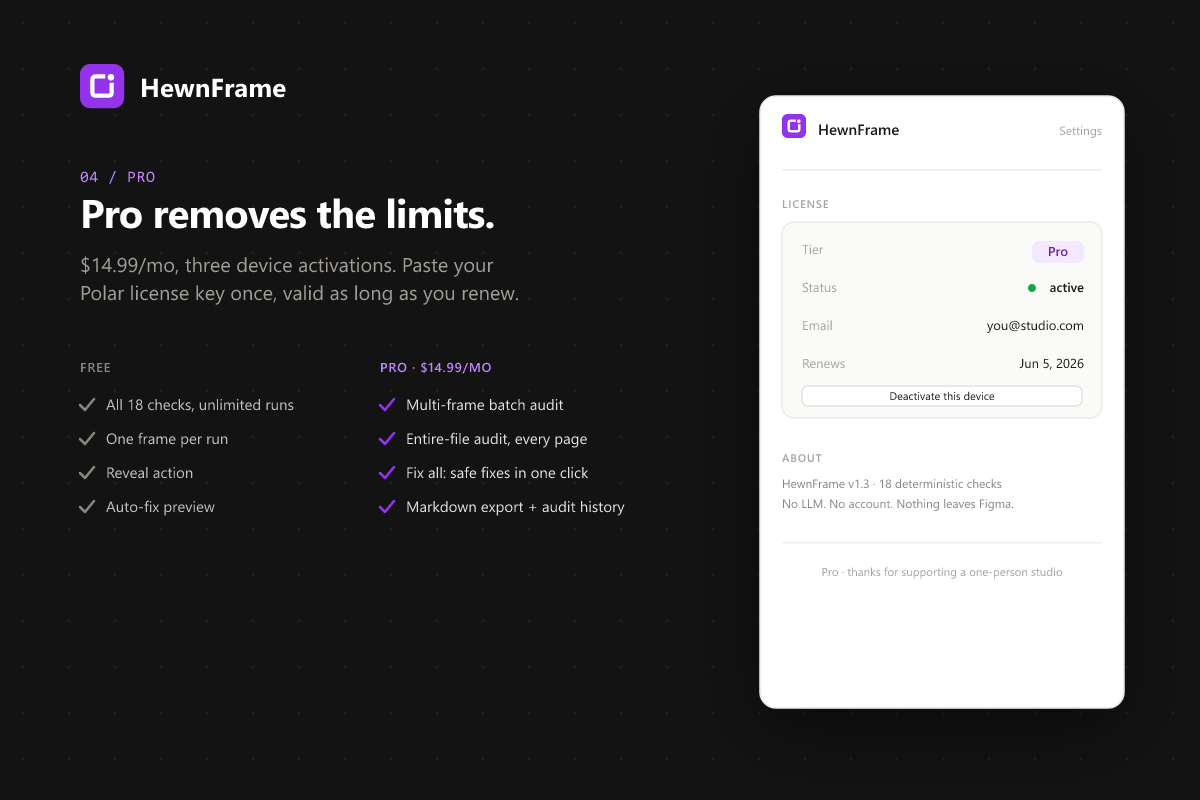
- 3 device activations per license
Cancel anytime · 7-day refund, plus your 14-day EU withdrawal right · Powered by Polar
Get HewnFrame Pro- Everything in Pro, plus:
- One license for the whole team
- 15 device activations
- Compare: Stark charges per seat
Cancel anytime · 7-day refund, plus your 14-day EU withdrawal right
Get in touchWhy it's different
| Feature | HewnFrame | Stark | Design Lint | Tokens Studio |
|---|---|---|---|---|
| Accessibility (WCAG) | ✓ 5 checks | ✓ specialist | - | - |
| Design system enforcement | ✓ 5 checks, Variables-aware | - | ✓ basic styles | token mgmt only |
| Component health | ✓ 4 checks | - | - | - |
| Single score (0-100) | ✓ | - | - | - |
| Markdown report export | ✓ Pro | - | - | - |
| Pro price (individual) | $14.99/mo | $12-15/mo | free | €39/mo |
| Team price | $39/mo flat | from $40/user/mo | - | per seat |
| WCAG-mapped PDF report | ✓ with EN 301 549 refs | - | - | - |
| No LLM, deterministic | ✓ | partial | ✓ | ✓ |
Prices verified May 2026 from competitor public pricing pages. Stark's accessibility specialist focus is unbeaten: if WCAG compliance for an enterprise client is your only concern, use Stark. HewnFrame covers a broader scope at a similar price.
The 15-Minute Design Audit Checklist.
A one-page PDF of the concrete things to check in a Figma file before handoff: contrast, touch targets, unbound styles, missing variants, naming. The manual version of what HewnFrame automates. Yours free.
Get the free checklistFrequently asked
What does HewnFrame check in a Figma file?
HewnFrame runs 18 deterministic checks across four categories: accessibility to WCAG 2.2 (contrast, touch-target size, image alt text, heading order, prototype focus order), design-system drift (hardcoded fills and strokes, unbound text styles, spacing off the 4n scale, effects without a style), component health (missing variant states, naming, detached instances, unused properties) and visual consistency (structural duplicates, name-family divergence, unused styles, page naming). Every finding carries a stable check ID like a-01 or ds-04.
Is HewnFrame free?
Yes. All 18 checks run on the free tier with unlimited audits and no account. Free audits one frame per run and previews which issues are fixable. Pro is $14.99 per month and adds multi-frame and whole-file batch audits, one-click auto-fix, Markdown export, a WCAG-mapped PDF report and audit history. Team is $39 per month for a whole team on one license.
How do I install HewnFrame?
Open the HewnFrame page on the Figma Community and click Open in Figma, or search for HewnFrame in Figma under Plugins. It runs on Figma for web, macOS, Windows and Linux. No account or setup is needed for the free tier.
Does HewnFrame send my designs anywhere?
No. The audit runs entirely inside the Figma plugin sandbox on your machine. The only network calls activate or verify your Pro license against our worker; no design content leaves Figma. The plugin manifest allows only hewnframe-api.hewnpath.workers.dev.
Will it slow down Figma?
No. A typical frame audits in 10 to 30 milliseconds, and a site-wide audit on a 50-page file finishes in under 2 seconds. The checks are pure local compute with no AI and no remote calls during the audit itself.
Can I use one license on multiple devices?
Yes, up to 3 device activations per Pro license and 15 per Team license. Deactivate a device from Settings to free a slot for another.
What is in the PDF report?
The Pro PDF report maps every accessibility finding to its WCAG success criterion and EN 301 549 clause, summarises which criteria were flagged, and notes the design-stage review for your accessibility records under the European Accessibility Act. It is generated locally and is meant to be handed to a client or attached to a compliance file. It is documentation of a design review, not a legal conformity assessment.
What happens if I cancel Pro?
You keep Pro access until the end of your billing period, then the plugin falls back to Free. Your audit history stays on your device. Cancel anytime from your Polar customer portal.
What is your refund policy?
Full refund within 7 days, no questions asked: email support@hewnpath.com with your license key. Consumers in the EU also keep the statutory 14-day right of withdrawal, which our faster policy sits on top of rather than replaces. Details in the terms.
Do you offer team licenses?
Coming in v1.1. For now, buy individual Pro licenses (3 device slots each). If you need bulk, email support@hewnpath.com and we will set you up manually until the team tier ships.
Get the free 15-Minute Design Audit Checklist
Enter your email and the download opens right away.
We store your email to do exactly this and nothing else. No cookies, no tracking, no sharing. Privacy Policy.
Download now